CCRI Website Cleanup
To ensure that visitors to our website are viewing accurate information, we are asking content editors to please review their web pages and delete old or unused content.
Update: Delete Access
Content editors no longer have delete permissions by default.
If you need to clean up old or unused content on your pages, you have two options:
- Request temporary delete access. Email [email protected] and let us know which section(s) of the site you need access to and roughly how long you'll need it. We'll grant time-limited access so you can review and remove your own content using the steps below.
- Send us a list instead. If you'd rather not handle deletions yourself, send [email protected] a list of the pages, images, or documents you'd like removed, and we'll review and delete them on your behalf.
If you're cleaning up PDFs specifically, see our PDF Use and Accessibility Policy for guidance on which PDFs should stay, which should be converted to web pages, and how to flag ones that need to come down.
Either way, the steps below still apply for identifying what's safe to delete versus what's linked elsewhere on the site.
Summary
To ensure that visitors to our website are viewing accurate information, we are asking content editors to please review their web pages and delete old or unused content. This includes web pages, images, documents, videos, PDFs, text, etc. Please review the steps on this page to delete your old content.
Accessing your webpage
To access the Modern Campus CMS system, login to your site by clinking the copyright symbol in the footer of a page on your website. Enter your username and password.

Next when you are logged into Modern Campus CMS you want to click on "Back to pages" in the upper left-hand corner of the screen.
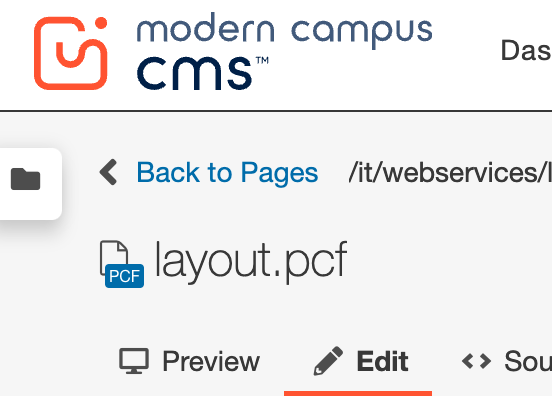
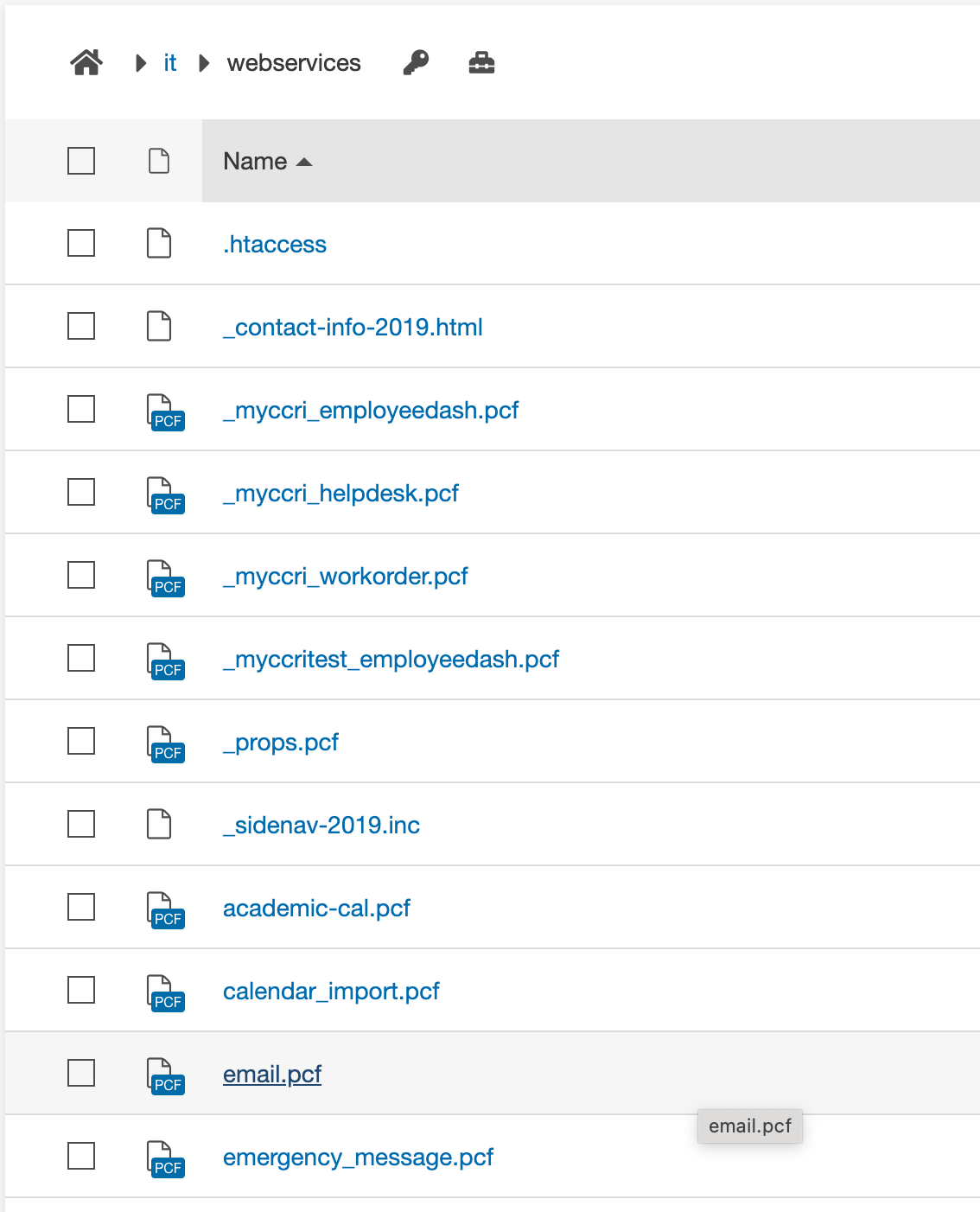
Then you will see the files in your website.
Deleting old content
Next go through all your pages, images, and documents and delete everything that is not being used or is outdated.
If you recycle a page and a warning message pops up with a list of other web pages, it means the page, image, or document is linked on those sites. Recycling the item will cause broken links on those sites, therefore it is important that you make note of those pages so you can go back and remove the links. If there is a broken link on a page you do not maintain, please submit a helpdesk ticket.
If you don’t get that warning, then you know that the page is an orphan (not linked to any other pages) and you can go ahead and delete it.
Do NOT delete the following items:
- _contact-info-2019.html (contact information)
- _sidenav-2019.inc (navigation)
- _props.pcf (properties)
- index.pcf (home page)
Below you will find the instructions to deleting the various files on your website.
When you are looking at your files, your webpages are the files that end with .pcf.
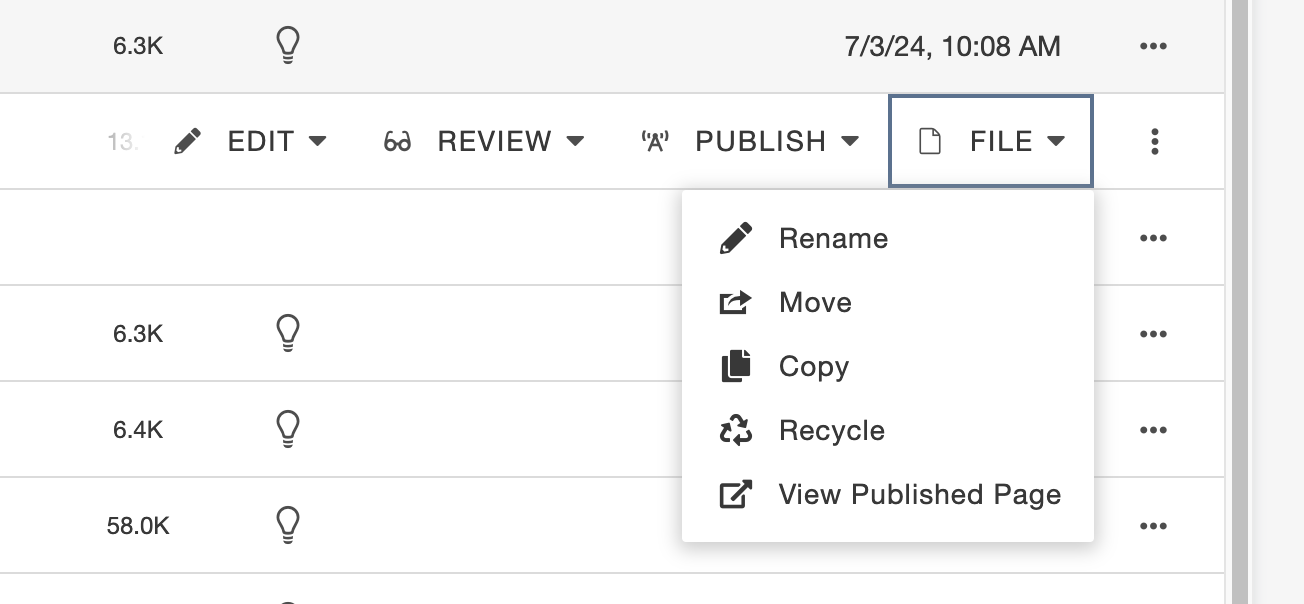
To delete a pcf file, click the ellipsis to the right of the file name, then click the file dropdown, and then click "Recycle".
After you 'click' Recycle, a box might pop up that will show you pages that will now have broken links because you are deleting that page. You must visit those pages and remove those links to avoid creating broken links on the website. You can screenshot the box, so you have the list of pages and then visit each page and remove the link. If you do not have access to the links, let Web Services know so they can assist in removing the links.
Click the red "Recycle" button and the page will be deleted.
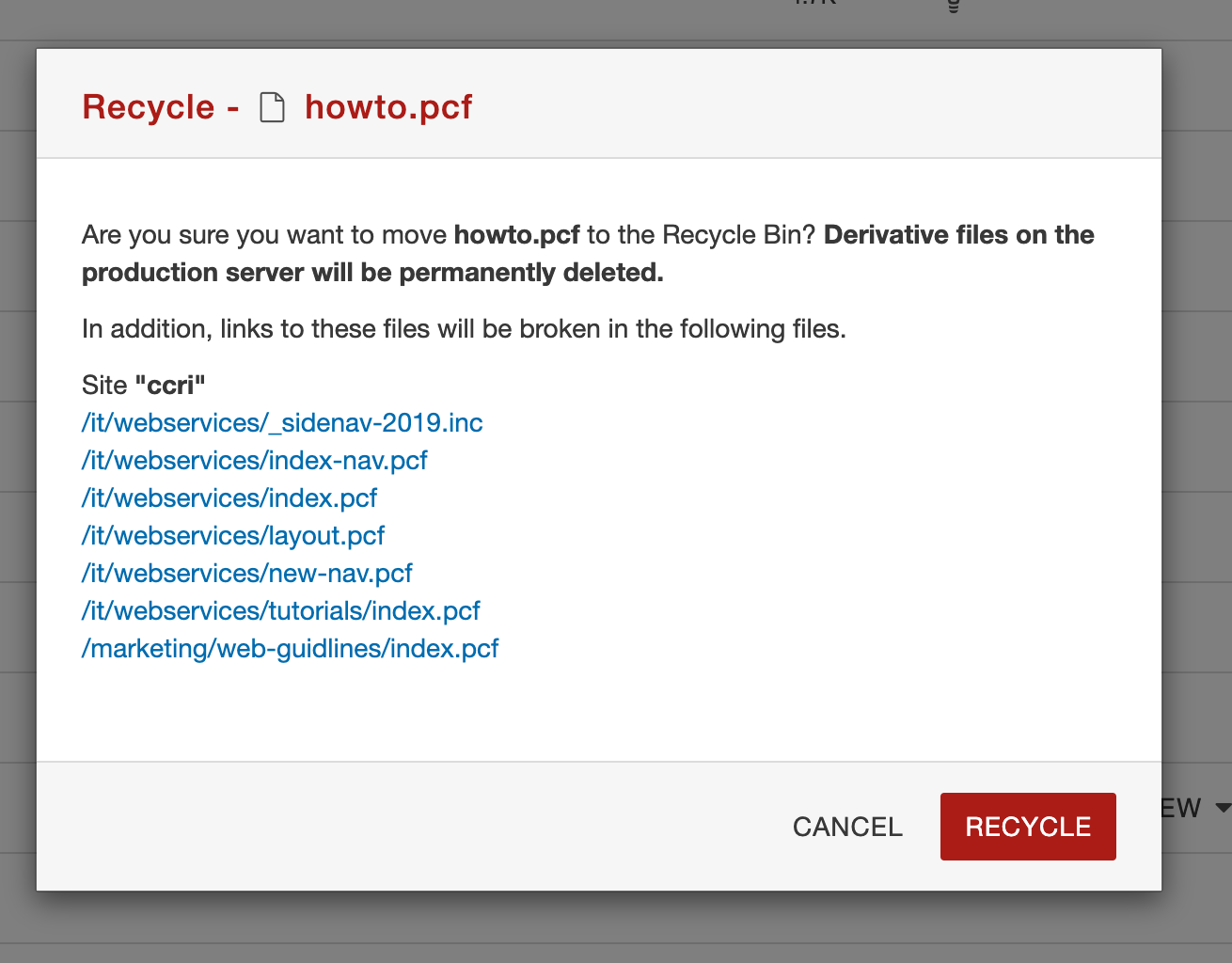
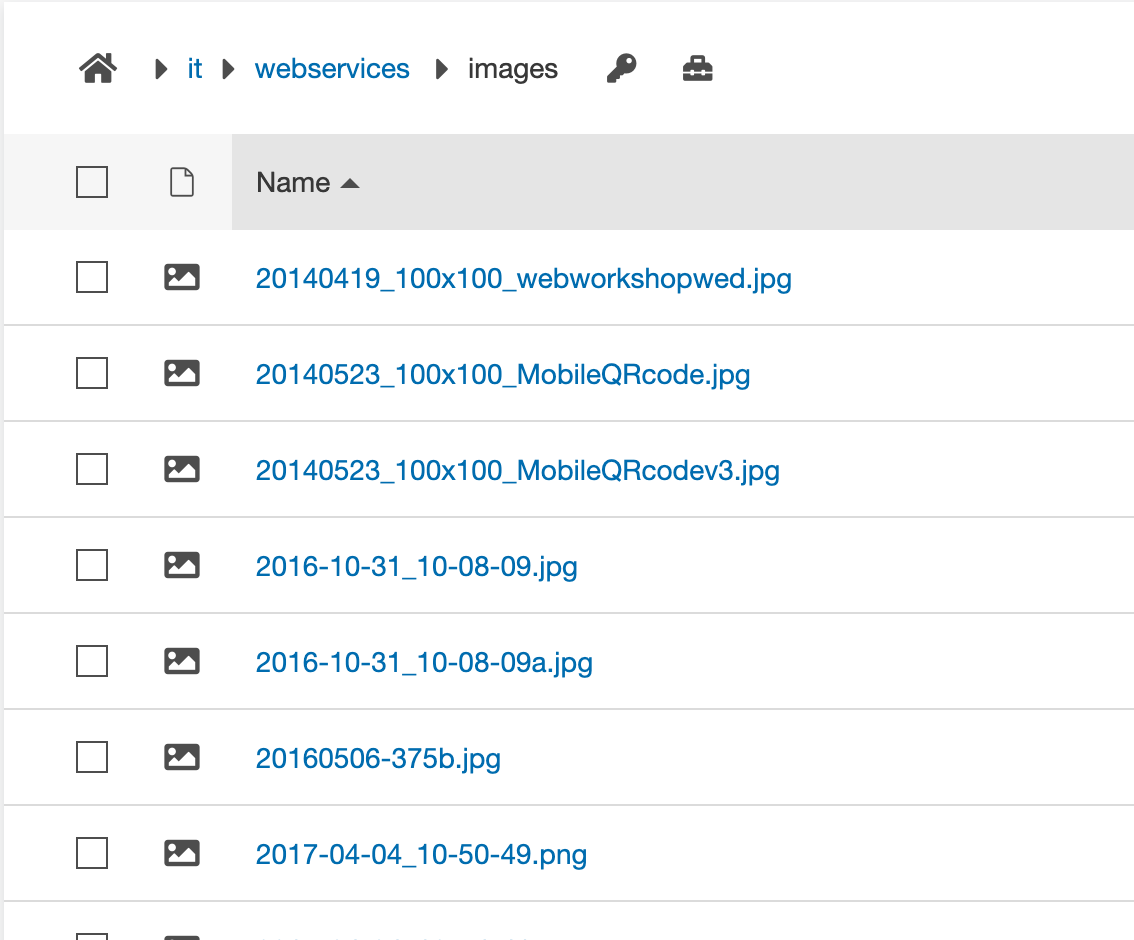
Image files will end in .jpg, .png, .svg, .gif.
To delete an image, go to your files and locate your images. Usually they will be located in a folder named images, but they could be scattered around your site.
Next click the ellipsis to the right of the file name, then click the file dropdown, and then click "Recycle".

After you click Recycle a box might pop up that will show you pages that will now have broken links because you are deleting that image. You must visit those pages and remove those links to avoid creating broken links on the website. You can screenshot the box so you have the list of pages and then visit each page and remove the link. If you do not have access to the links, let Web Services know so they can assist in removing the links.
Click the red "Recycle" button and the image will be deleted.

Document files will end in .pdf, .docx, .doc, .pptx, etc.
To delete a document, go to your files and locate your documents. Usually they will be located in a folder named pdfs or docs, but they could be scattered around your site.

Next click the ellipsis to the right of the file name, then click the file dropdown, and then click "Recycle".

After you click Recycle, a box might pop up that will show you pages that will now have broken links because you are deleting that document. You must visit those pages and remove those links to avoid creating broken links on the website. You can screenshot the box so you have the list of pages and then visit each page and remove the link. If you do not have access to the links, let Web Services know so they can assist in removing the links. Click the red "Recycle" button and the document will be deleted.

Timestamps:
- 0:00 - Accessing Modern Campus CMS
- 1:04 - Overview
- 2:03 - Deleting pages
- 4:27 - Deleting documents
- 6:24 - Deleting images

Latest News
CCRI Joins Lowe's Foundation Building Futures Skilled Trades Coalition to Help Strengthen America's Skilled Trades Workforce
September 01, 2026
The Community College of Rhode Island (CCRI) today announced it is joining the Lowe's Foundation's Building Futures Skilled Trades Coalition, a national effort bringing together organizations from across the skilled trades ecosystem to help train and develop 1 million people for skilled trades careers by 2035.
CCRI Students Bridge Art and Science in 'Prismosities' Exhibition Following Immersive Brown University Lab Partnerships
September 01, 2026
What happens when you mix advanced microscopy, biological research, and studio art? At the Community College of Rhode Island (CCRI), it results in an incredible outburst of student creativity and scientific inquiry.
'Brave Enough To Try': CCRI Begins New Academic Year With Opening Day Convocation
August 31, 2026
The Community College of Rhode Island welcomed faculty and staff back to campus last Thursday for Opening Day Convocation, the College's annual gathering marking the start of a new academic year. President Rosemary A. Costigan opened the 2026-27 year with an inspiring call to action, urging the CCRI community to embrace the work ahead and be "brave enough to try."
Rhode Island Congressional Delegation Announces $4.6 Million for URI, CCRI Engineering Workforce Development Program
August 28, 2026
As demand grows for skilled engineers and technicians to power Rhode Island's advanced manufacturing, marine, and clean energy sectors, U.S. Senators Jack Reed and Sheldon Whitehouse and Representatives Seth Magaziner (RI-02) and Gabe Amo (RI-01) announced $4,619,389 of federal funding awarded by the National Science Foundation (NSF) to the University of Rhode Island, in partnership with the Community College of Rhode Island, to support scholarships for high-achieving, low-income students pursuing degrees in engineering and engineering technology.
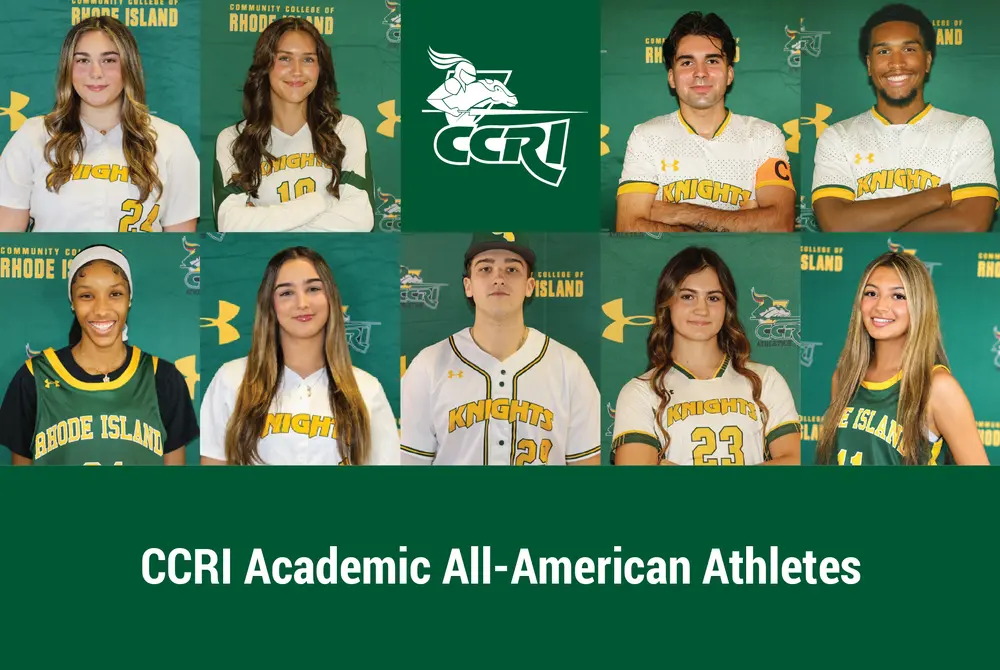
Nine CCRI Student-Athletes Earn NJCAA All-Academic Honors
August 19, 2026
Nine student-athletes from the Community College of Rhode Island have earned All-Academic honors from the National Junior College Athletic Association (NJCAA) for the 2025-26 seasons, highlighting CCRI Athletics' continued commitment to excellence in and out of the classroom. The NJCAA All-Academic Teams recognize student-athletes with a GPA of 3.60 or higher.
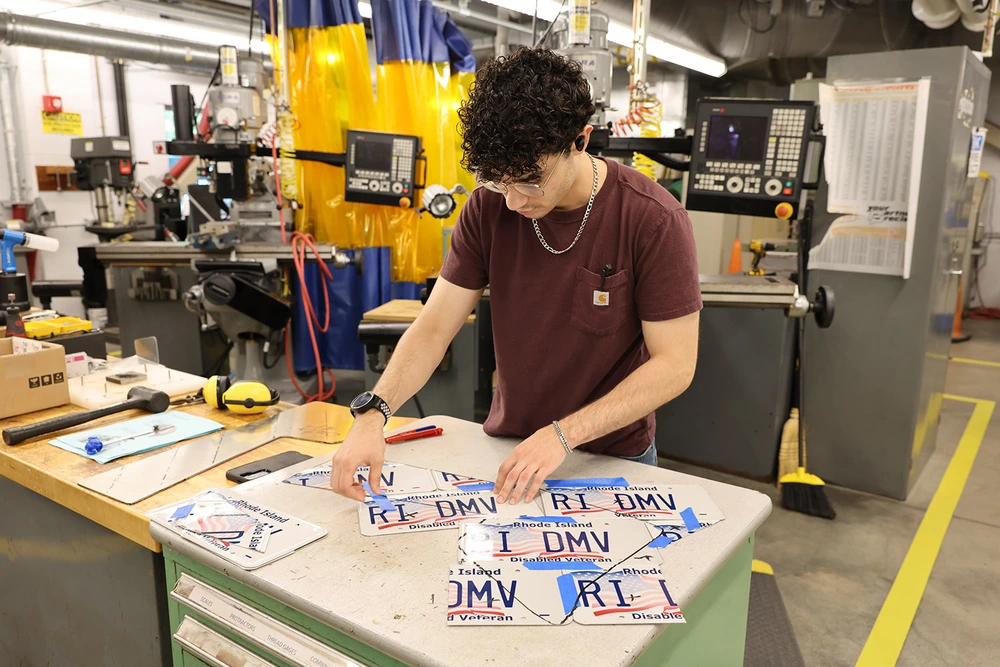
CCRI Students Transform Repurposed License Plates into Art for International Conference
August 12, 2026
This summer, Community College of Rhode Island students are transforming repurposed license plates into unique works of art and custom manufactured goods.
CCRI Alumni Association Announces 2026 Society of the Knights Inductees
August 06, 2026
The Community College of Rhode Island (CCRI) Alumni Association is pleased to announce the induction of three distinguished alumni into its prestigious Society of the Knights. The newest inductees will be honored at the Knight of Opportunity gala scheduled for Friday, October 16, at the Bally’s Event Center in Lincoln.
CCRI Launches New Welding Training Program in Partnership with Senesco Marine & Polaris MEP
August 06, 2026
The Community College of Rhode Island (CCRI) has announced the launch of a new Welding Training Program, developed in partnership with Senesco Marine, a leading shipbuilding and marine fabrication company based in North Kingstown, and Polaris MEP, Rhode Island's Manufacturing Extension Partnership center.
CCRI Graduate Miguel Soto-Sanchez '24 Named 2026-27 Gamm Fellow
July 29, 2026
The Sandra Feinstein-Gamm Theater has named Community College of Rhode Island graduate Miguel Soto-Sanchez '24 as a fellow in its 2026-27 Gamm Fellowship Program.
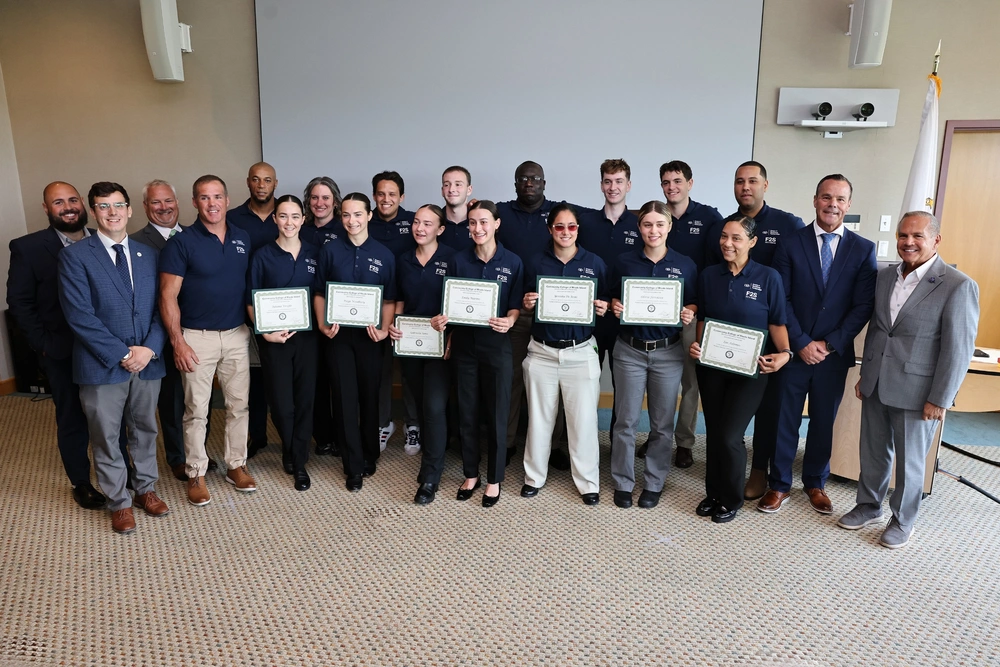
CCRI Celebrates Inaugural Graduating Class of Fit2Serve: Pathway to Policing Program
July 20, 2026
The Community College of Rhode Island (CCRI) celebrated the first graduating class of its new Fit2Serve: Pathway to Policing program during a ceremony on Monday, July 13, at the Warwick Campus. Fifteen students successfully completed the intensive eight-week law enforcement academy preparation program, which is designed to equip Rhode Islanders with the physical and mental foundation required for modern law enforcement careers.
CCRI Foundation Announces New Board Members, Leadership Transitions
July 02, 2026
The Community College of Rhode Island (CCRI) Foundation has announced several key leadership transitions, including the appointment of Frederick J. Metters as the new President of the Foundation Board of Trustees, along with the welcoming of new Board members. Additionally, the CCRI Alumni Assembly has announced a new member.
CCRI to Host Free Summer Cybersecurity and Robotics Camps for Local Students at Newport Campus
June 25, 2026
The Community College of Rhode Island will host a series of free, week-long summer cybersecurity camps at its Newport Campus for students in grades 7 through 10. The sessions are designed to introduce middle and high school students to the fields of cybersecurity and technology through hands-on learning and practical challenges.
College Visions Brings Summer Prep Program to CCRI Newport Campus
June 25, 2026
College Visions, a Rhode Island-based nonprofit dedicated to empowering first-generation, low-income students, is expanding its College Visions Summer Prep program to the Community College of Rhode Island (CCRI) Newport County Campus this summer. The five-week intensive program kicks off on Tuesday, July 7, and will run through August 6, 2026.
How Rhode Island Promise Paved Keily Avila's Path From CCRI To Brown
June 10, 2026
With help from the Rhode Island Promise scholarship, Providence native Keily Avila is making her academic dreams a reality.
CCRI Celebrates 2026 Student Film Festival Winners; 'Shift' Takes Top Honors
June 09, 2026
The Community College of Rhode Island (CCRI) has announced the award recipients for the 2026 Student Film Festival. Evaluated by a panel of local industry professionals, this year's submissions spanned a wide variety of genres and styles. The festival culminated in a celebration of the top entries, highlighting student accomplishments in directing, acting, editing, and production design.
Events
31
Drop period for enrolled students (courses will not appear on transcript)
August 31, 2026 12:02 AM - September 13, 2026 12:02 AM
8
Faculty to report verification of enrollment
September 8, 2026 12:00 AM - September 13, 2026 12:00 AM