IT Documentation
Password Protect PowerPoint Files
Please follow the instructions below to password protect PowerPoint files.
- Open PowerPoint
- Open the presentation to be password protected
- Click on File in the menu

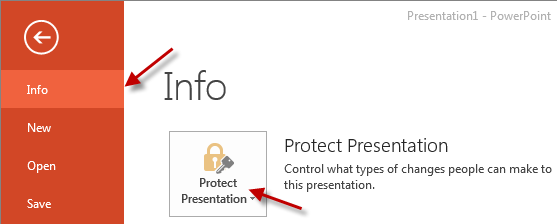
- Click on the Info option and then click Protect Presentation
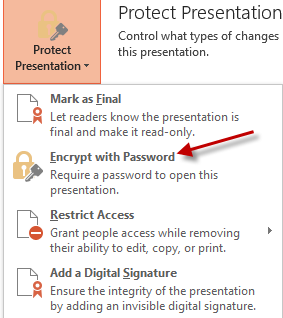
- From the Protect Presentation menu, click on Encrypt with Password
- Enter the password you wish to use to protect the presentation
- Click OK