New State of Rhode Island HR and payroll System (RIERP-Workday)
The State of Rhode Island – and CCRI – are transitioning to a new Enterprise Resource Planning (ERP) system in 2025. Known as Workday, this system transforms the State’s HR, payroll, and finance processes and operations, eliminating many time-consuming manual and paper processes used across the state.
As of November 17, the State of Rhode Island is officially live with all components of the ERP System. This includes HR and payroll functionality (in addition to finance, which previously went live on July 1).
CCRI integrated Workday with Banner, which means you’ll continue to use Banner for most activities regarding Time Tracking, Absence, and basic HR functions, including updated personal information.
Frequently Asked Questions
All full-time CCRI Faculty and Staff will now have their pay processed through Workday. Your deductions, elections, taxes, and direct deposit should transfer seamlessly.
No. Part-time employees, adjuncts, and FT faculty overload payments are managed internally and not through the State’s payroll. There will be no changes to how part-time employees, adjuncts,or faculty overloads will be paid.
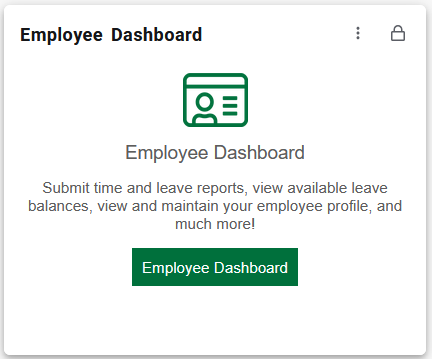
Employees will continue to log their time through the Employee Dashboard in myCCRI.
No. Employees do not need to make any changes to their direct deposit.
BEWARE If you receive an email asking for bank account information or other personally identifiable information, it is a SCAM. Neither CCRI nor the State of Rhode Island will ask employees to provide bank account information (including changes to your username or password) or any other personally identifiable information. If you receive a request to do so, please report it to the IT HelpDesk.
Workday will provide a significant upgrade over the existing HR and payroll systems, providing a modern web-based platform for all items related to HR and Payroll. Streamlining business processes while greatly improving the processing time of HR and payroll transactions.
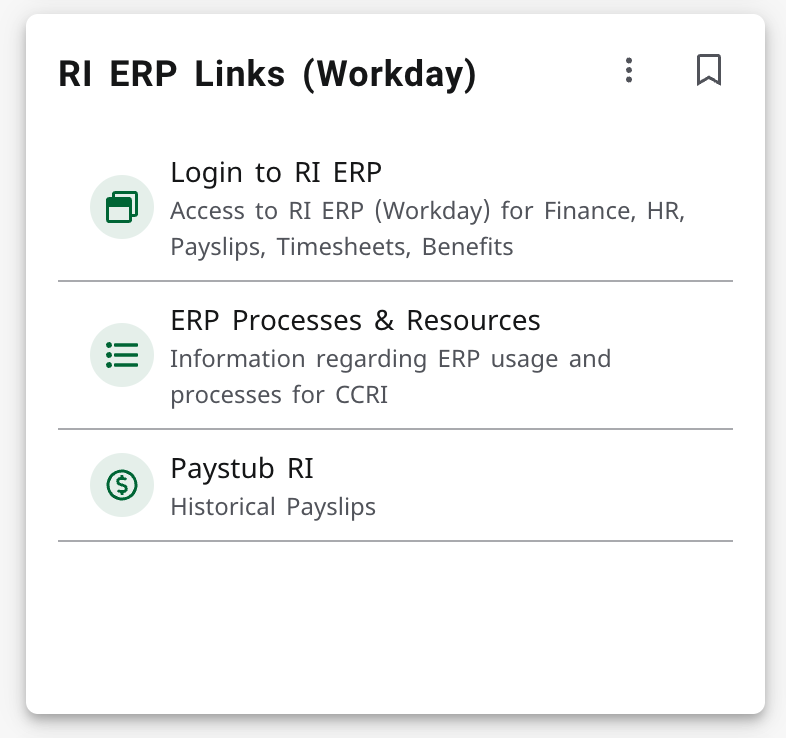
CCRI faculty and staff will go to MyCCRI to access Workday
They will select the “Log in to RI ERP” link located on the “RI ERP Links (Workday) card under the employee tab
What tasks can I do in Workday?
CCRI Faculty and Staff will be able to perform five main tasks:
- Make Life Event Changes (childbirth, marriage, adoption, divorce, etc.)
- Make Benefit Changes (during life event changes, such as a new hire or during open enrollment – beginning Fall 2026)
- Add or Update Dependents
- View and Download W-2s
- View, review, or download pay slips
CCRI Faculty and Staff will be able to perform five main tasks in Banner:
- Complete timesheets (Leave for Non-Classified Employees and Leave/Hours Worked for Classified Employees
- View and track leave accruals (Sick, Vacation, Personal)
- Personal Data Changes (Name, address, etc)
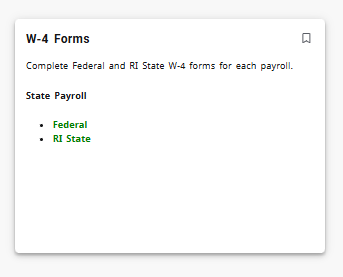
- Update and View Federal and State Withholdings selections (W-4)
- Additional Compensation Payments (Faculty and Comp Time Payouts)
With RIERP-Workday go-live all direct deposits changes will be made via a Help Desk Team Dynamic ticket. Once employees submit a ticket a Controller’s office staff member will contact you with the necessary next steps. Employees will no longer submit paper forms for State paid payroll or use Banner Self Service for CCRI paid payroll or employee reimbursement.
CCRI will utilize the college’s Help Desk ticketing system. This page was created to support the Workday launch.
CCRI will extend IT Help desk hours on Friday evenings on Dec. 5 and Dec. 19 until 8:00 p.m.
Additionally, the CCRI Workday Project Team, CCRI Workday Change Ambassadors, the Controller’s Office (Payroll), Human Resource Operations, and IT are available to assist with any issue.
CCRI will never send you an email with a link to the Workday site. The Workday link can only be accessed through MyCCRI. Report suspicious emails to the help desk then delete the email from your inbox.