Adding authorized user for making a payment
Adding authorized user for making a payment
Students can now authorize another person to access their account information and make payments on their behalf.
In compliance with the Family Educational Rights and Privacy Act of 1974 (FERPA), student financial records may not be shared with a third party without the student's written consent. Authorized users DO NOT have access to the student's stored payment methods, academic records or other personal information.
*Please note that it is best to use Mozilla Firefox as your browser for Refunds and Payments.*
| Instructions | Screenshot |
|---|---|
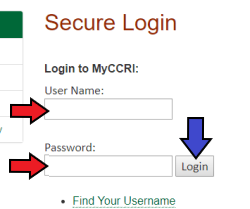
Step 1Login to your MyCCRI account. |
|
Step 2Click on the My Account tab |
 |
Step 3Click Authorized Users on the right side of the screen. |
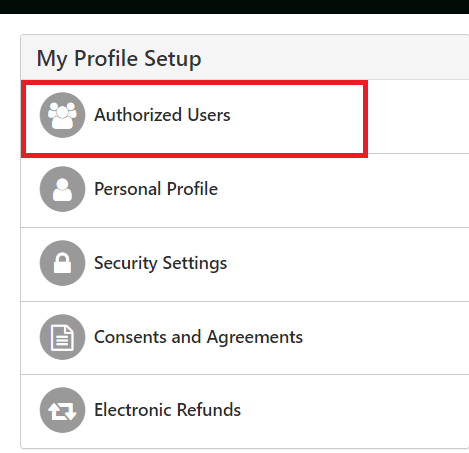 |
Step 4Click Add Authorized User. |
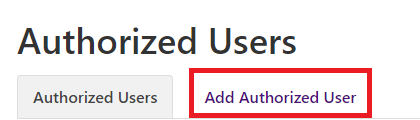 |
Step 5Add the Authorized User's email and choose the access you wish for this user to have. Click the Continue button. |
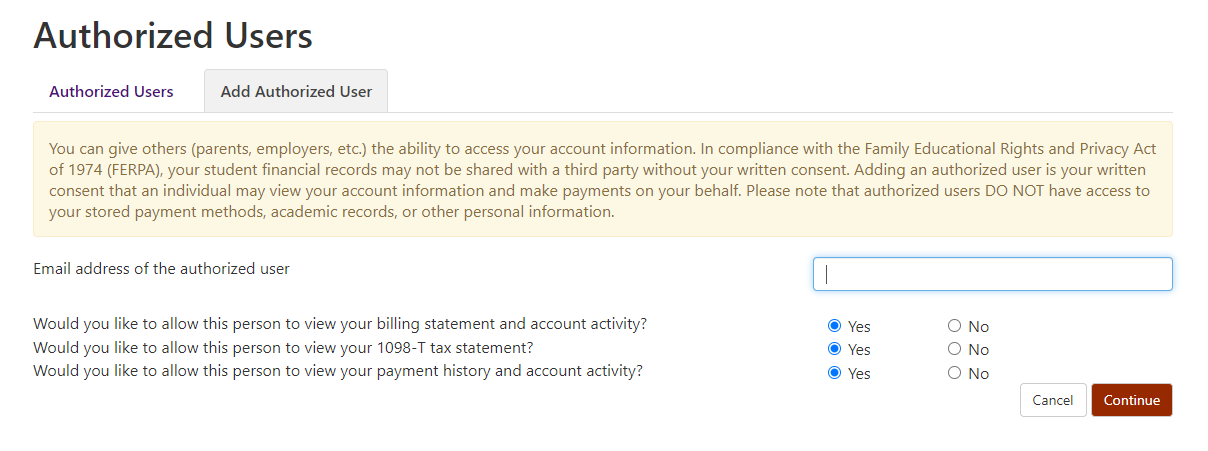 |
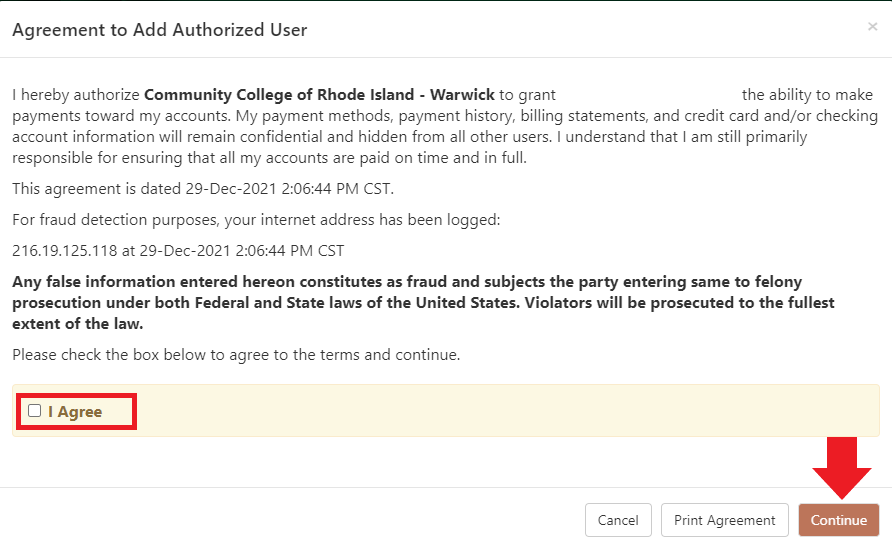
Step 6Read the agreement. Then check off the box next to I Agree, then click the Continue button. |
 |
Step 7View the confirmation. Instructions will be emailed to the authorized user on the steps they will take to log into your account. |
 |